Document AI
Color-Coded Schedule PDF Extraction to Excel
A Python extractor turns staff schedule PDF grids into Excel rows, preserving dates, shifts and color-coded request values for coordinator review.
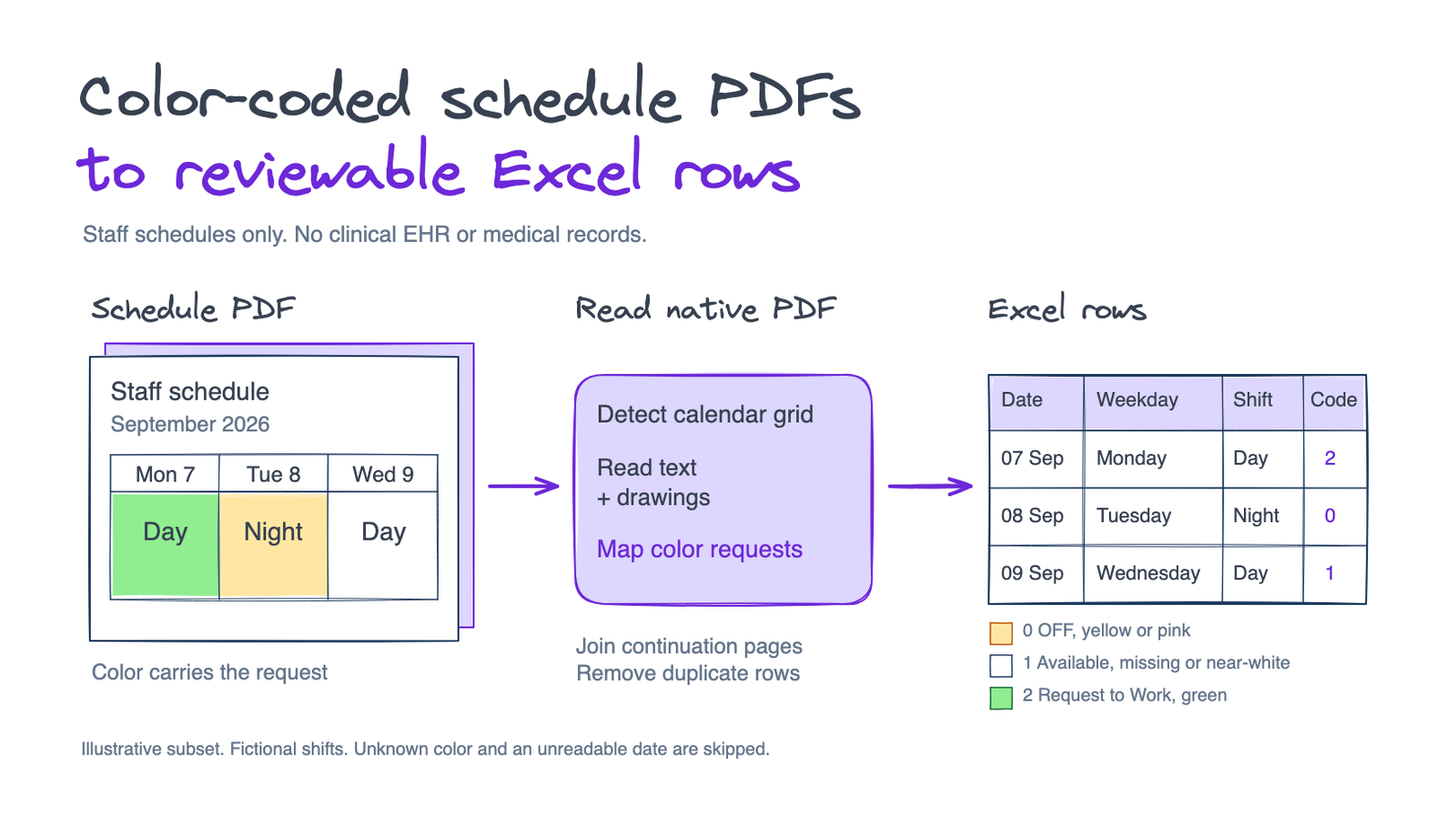
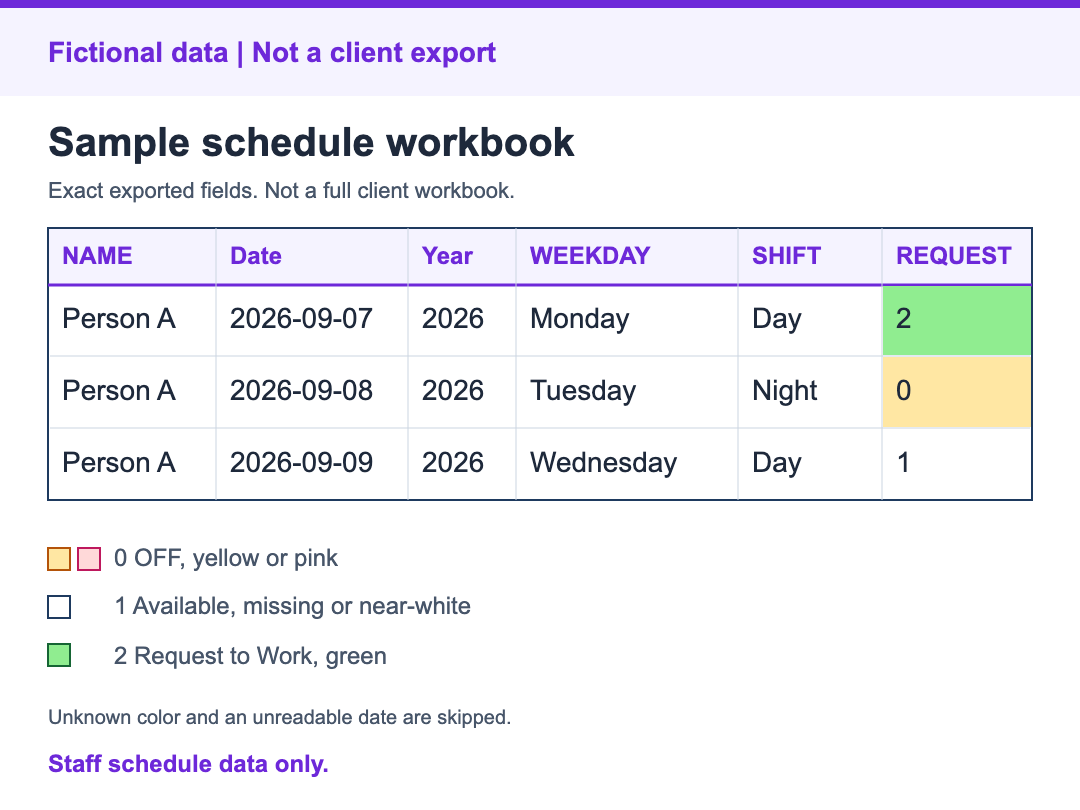
Illustrative native-PDF schedule extraction into Excel. Fictional calendar entries use the implemented numeric request legend: 0 Off, 1 Available, 2 Request to Work.
The problem
Staff schedule PDFs encode preferences through both their calendar layout and highlight colors. Copying the text alone loses that meaning, and a person's schedule can continue across pages.
The task was to convert native PDF calendars into spreadsheet rows for scheduling review. The documents were staff schedules rather than clinical records.
What I built
Python and PyMuPDF read the PDF text and drawing objects, then detect the calendar grid. This path requires native PDF content rather than scanned photos.
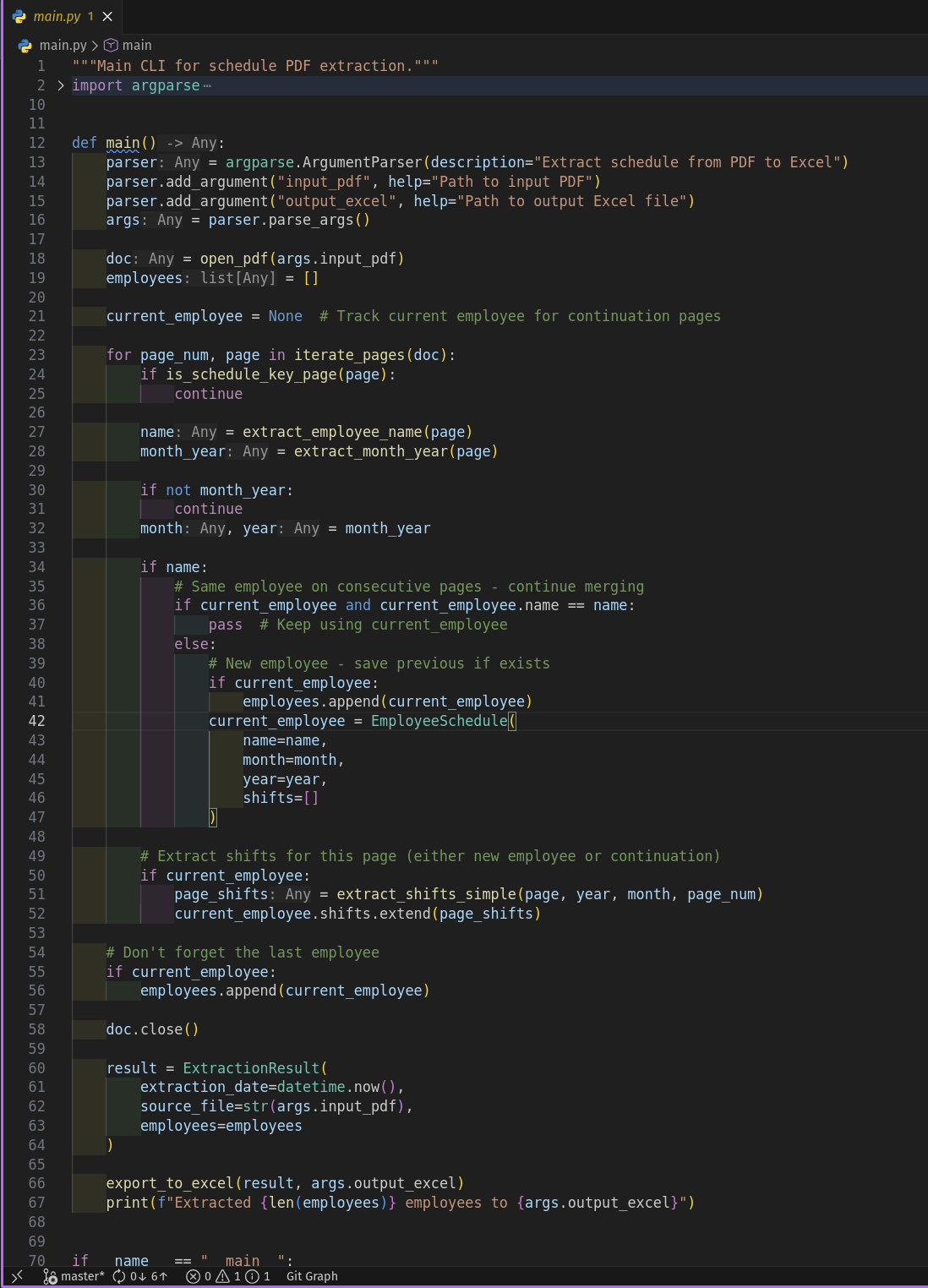
Schedule-key pages are skipped, and continuation pages remain associated with the current person.
Each extracted row carries NAME, Date, Year, WEEKDAY, SHIFT and REQUEST. Repeated date, shift and request entries within the extraction pass are filtered out.
The request legend is 0 = Off for yellow or pink; 1 = Available for no highlight or near-white; and 2 = Request to Work for green.
Cells without a readable date and highlights outside the recognized color rules are skipped. Excel output includes the request-code legend.
The outcome
The result is a schedule-to-Excel extractor that keeps dates, shifts and preference codes together for a coordinator to review. Its grid and color rules are specific to the supplied PDF format, so a different calendar layout or legend needs adaptation.
Who this approach suits
Scheduling teams moving recurring calendar PDFs into spreadsheets. To assess a similar workflow, bring a redacted native PDF, its color legend and the columns your team needs.
Working on something similar?
Discuss a similar project