Document AI
Invoice Photo OCR to Excel with Python
A local Python OCR tool extracts client names, addresses and tax IDs from a known invoice-photo layout, with the source filename retained in each Excel row.
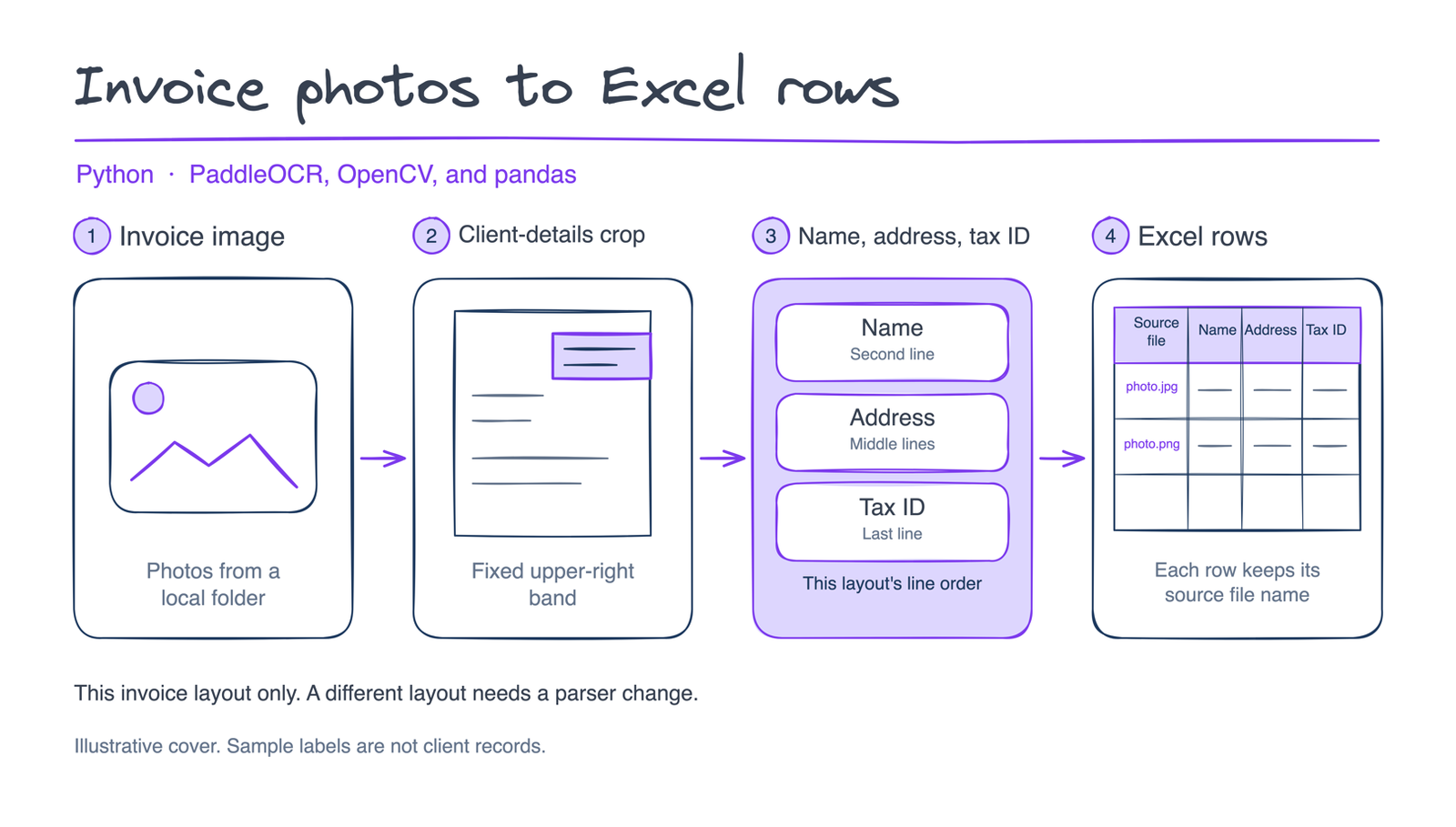
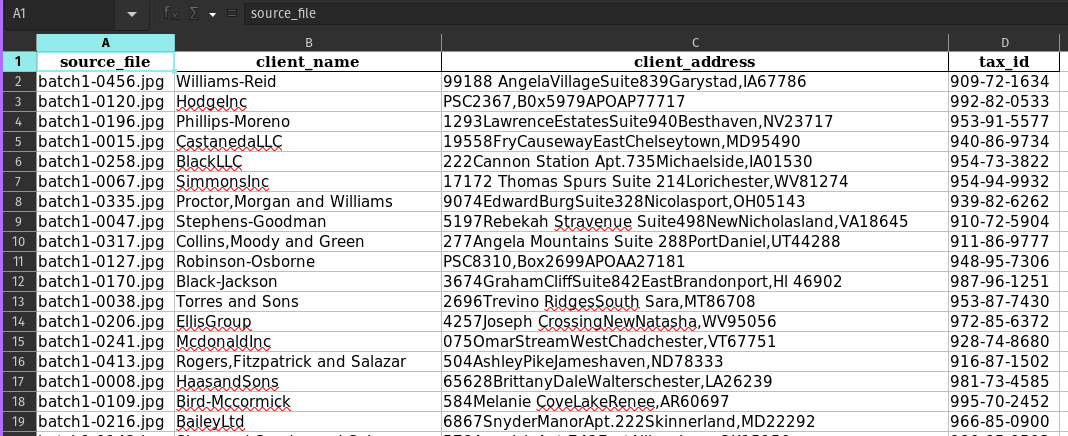
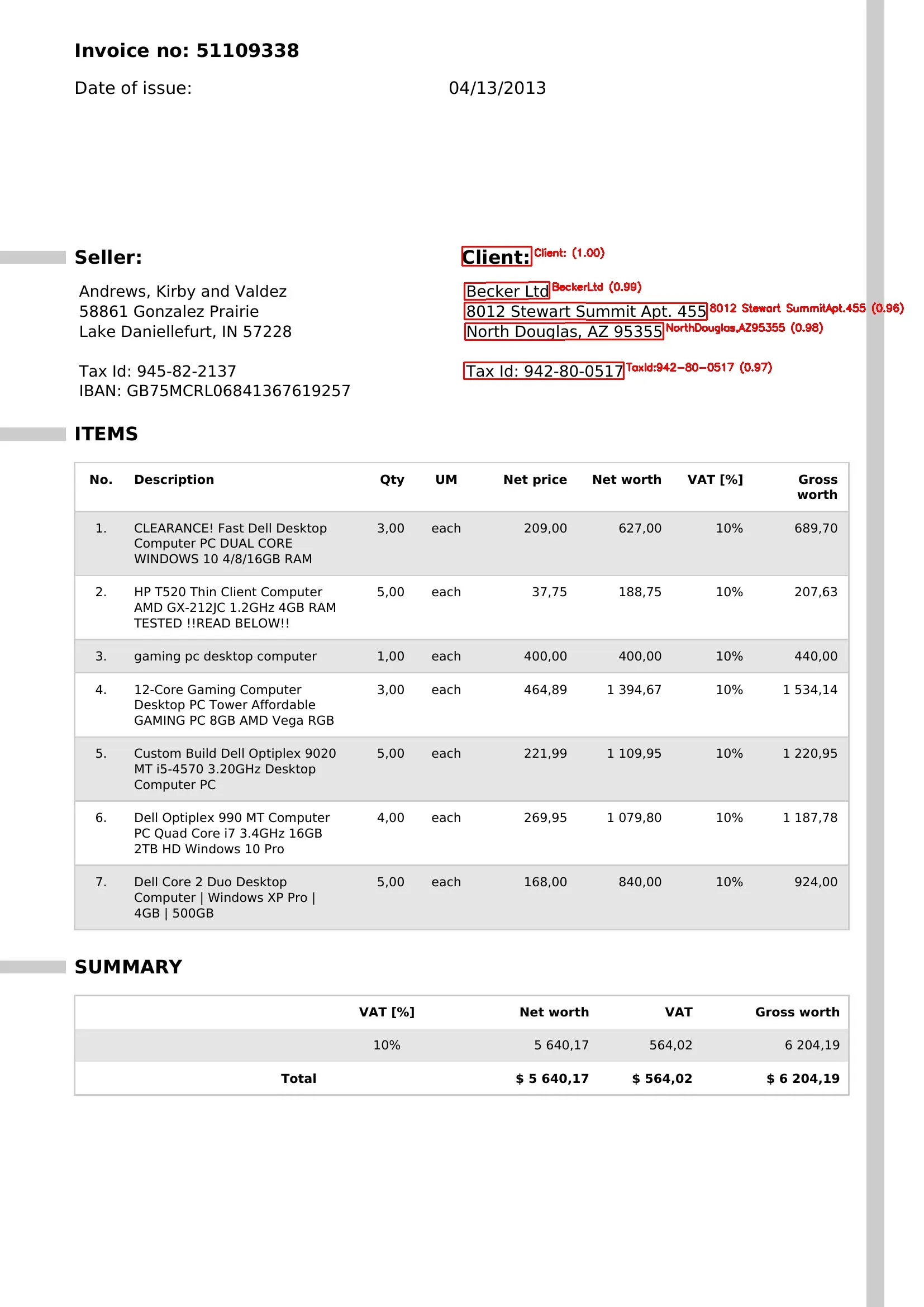
Invoice photos pass through a fixed client-region crop and layout-specific OCR parsing into Excel rows with source filenames.
The problem
The task was to move client details from a batch of invoice photos into a spreadsheet. The supplied layout placed those details in a consistent region, allowing the tool to focus on the client block rather than parse the whole invoice.
What I built
A local Python batch script reads files from an invoice folder.
OpenCV crops a fixed region on the right side of each photo before PaddleOCR recognizes the text.
A layout-specific parser extracts the client name, address and tax ID.
pandas writes Excel columns for source_file, client_name, client_address and tax_id, keeping the original filename for checking the source photo.
Unreadable files, empty OCR results and processing errors are logged and skipped.
The outcome
The delivered tool provides a local photo-to-Excel handoff for client fields in the supplied layout. Extracted values still need review: the parser uses layout rules rather than validating invoice accuracy. Seller fields and different invoice layouts require additional work.
Who this approach suits
Teams collecting client details from repeatable invoice-photo layouts into Excel. To scope a similar tool, bring redacted photos, the fields required and an example of the desired spreadsheet.
Working on something similar?
Discuss a similar project